
Related Articles
How to Use Finz
Finz is designed for operators who do not have time to dig through spreadsheets, accounting reports, or disconnected systems.
You do not need to be a finance expert to use Finz effectively.
The goal is simple:
understand where cash is going
catch problems earlier
stay ahead of bills and margin pressure
know what needs attention this week
make faster decisions with more confidence
Even a few minutes a day in Finz can help operators make more confident decisions throughout the week.
A Quick Tour of Finz
If you are new to Finz, start with this short walkthrough of the platform.
If you have not connected your accounts yet, we recommend reviewing the Getting Started guide first to complete your initial setup.
This video covers:
the purpose of each tab
where to find important workflows
how operators typically navigate Finz week to week
how Cash, Margin, Signals, Ledger, and AI CFO work together
What You Can Achieve With Finz
Finz helps operators move from:
“I’ll figure it out at month-end.”
to:
“I already know what changed this week.”
With Finz, you can:
Monitor cash position without waiting for accounting closes
Spot unusual spending or margin pressure early
Keep track of overdue invoices and upcoming payments
Understand where money is going across locations and vendors
Catch operational issues before they become larger financial problems
Ask AI CFO questions in plain language instead of building reports manually
You do not need to review every number inside the platform.
Finz is designed to surface what matters most first.
The Recommended Weekly Workflow
Most operators follow the same simple workflow each week.
If you only spend 5–10 minutes in Finz, this is where to focus.
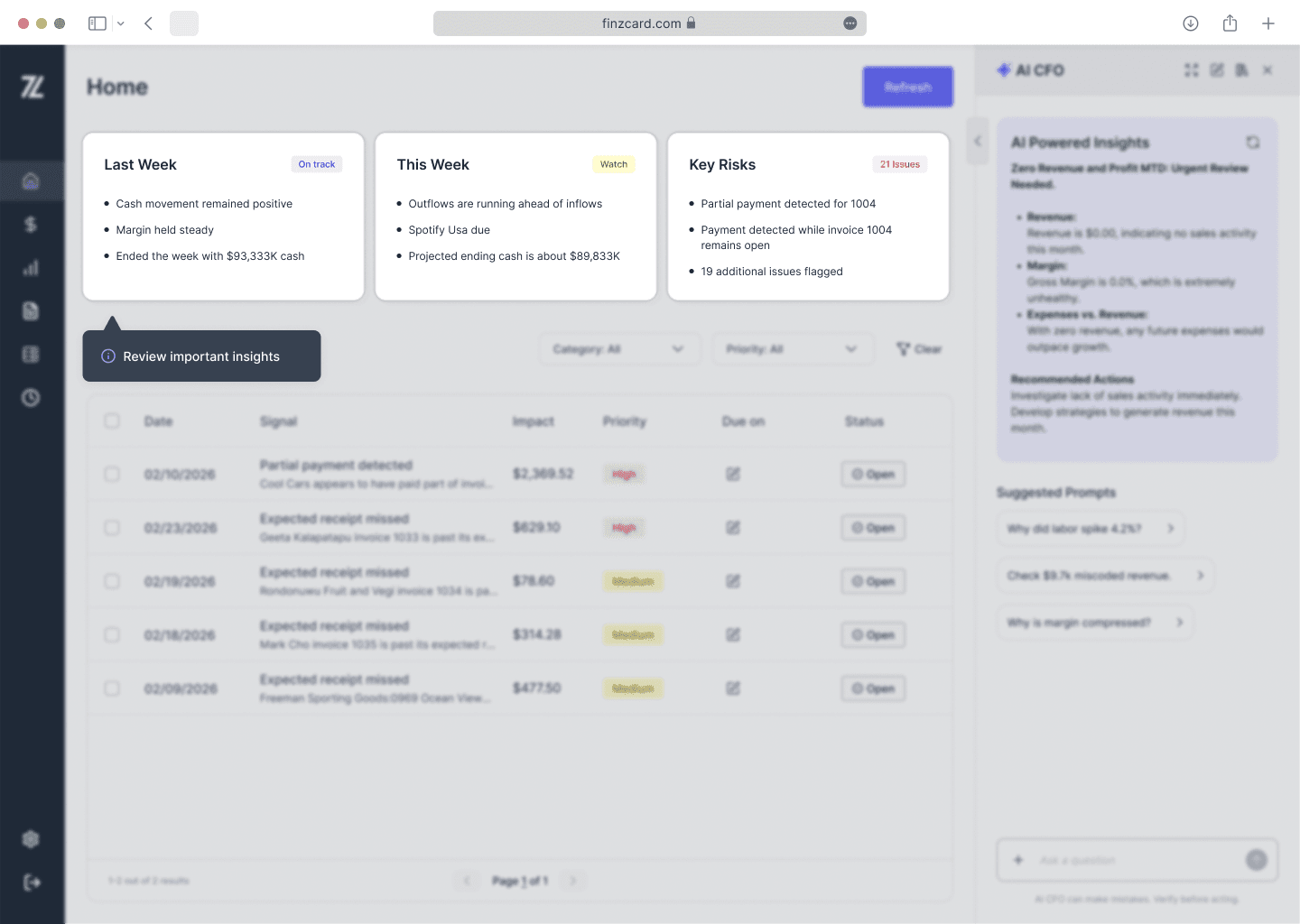
1. Start on the Home Page
The Home page gives a quick overview of:
recent performance
financial risks
outstanding signals
weekly cash movement
Most operators start here before reviewing individual workflows in detail.
The goal is simply to understand:
“Is the business healthy this week?”
Related guides
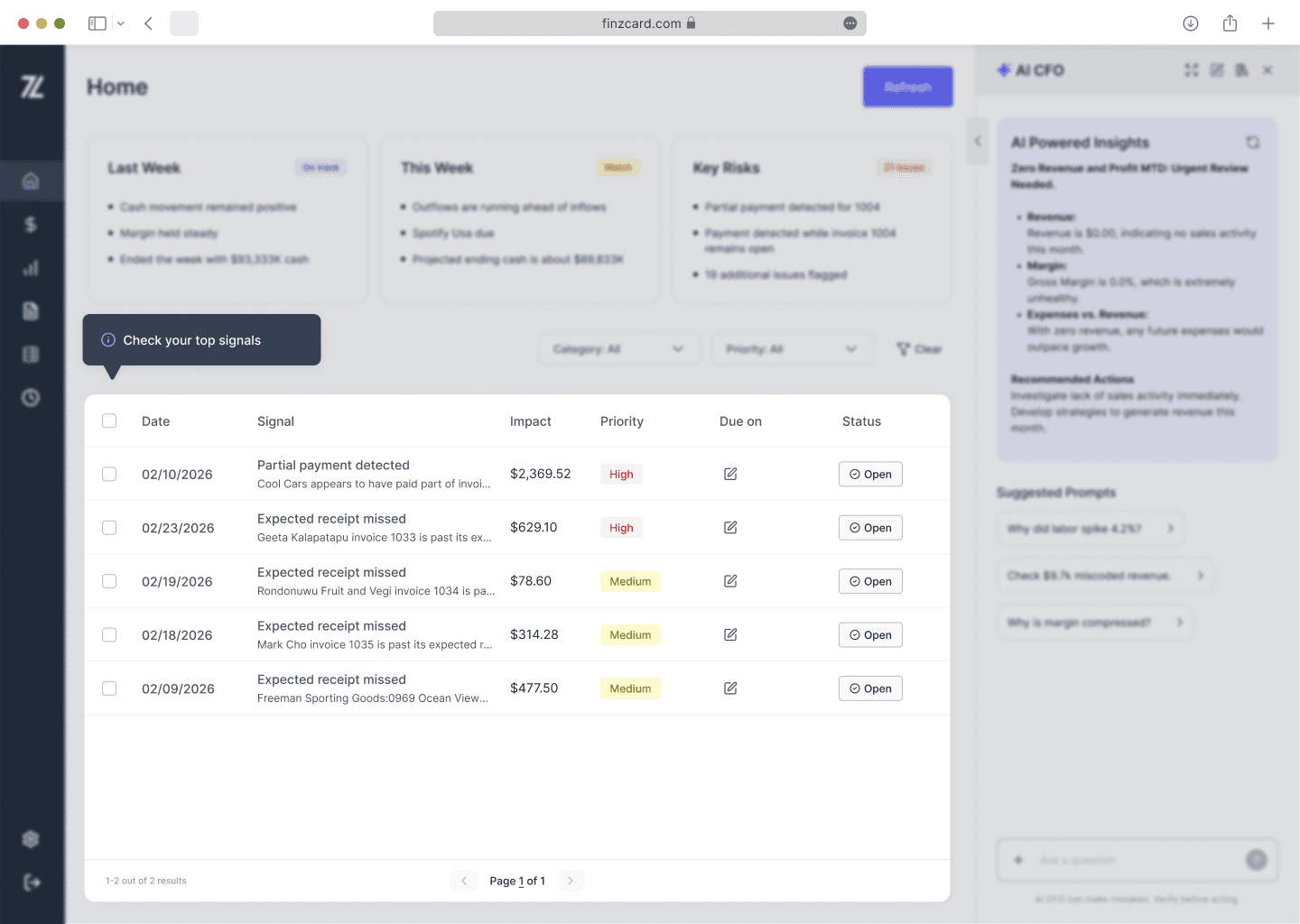
2. Review Signals
Signals highlight financial activity that may need attention.
Examples include:
overdue payables
missing invoice receipts
unusual cash movement
margin compression
payment inconsistencies
Think of Signals as your finance task list.
Operators typically review the highest-priority signals first.
Related guides
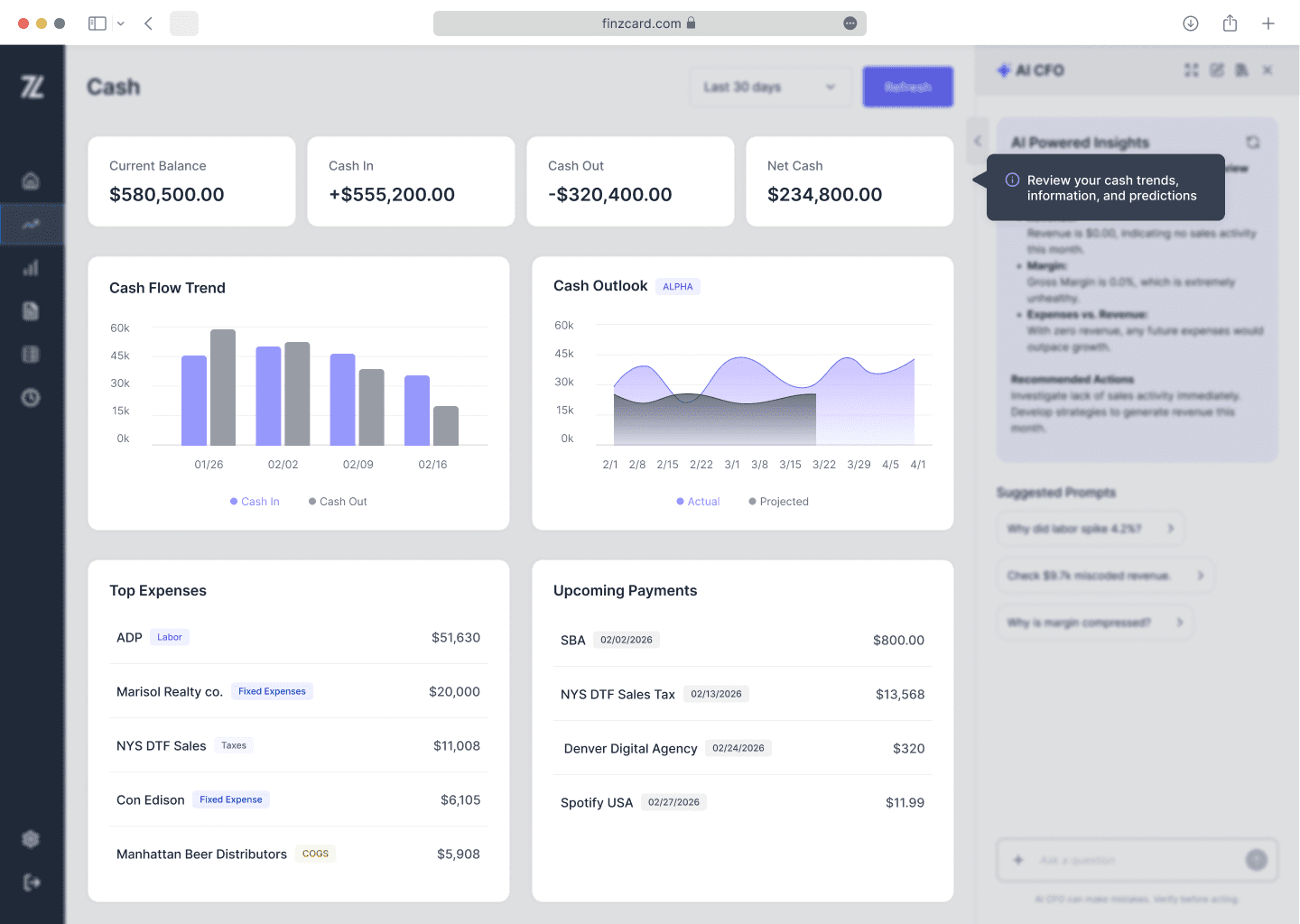
3. Check the Cash Tab
The Cash tab helps monitor:
current cash position
cash inflows vs outflows
upcoming obligations
spending trends
Most users review this weekly to stay ahead of liquidity pressure.
You do not need to analyze every chart deeply.
Most operators simply look for:
unusually high outflows
heavy upcoming payments
unexpected expense spikes
declining net cash trends
Related guides
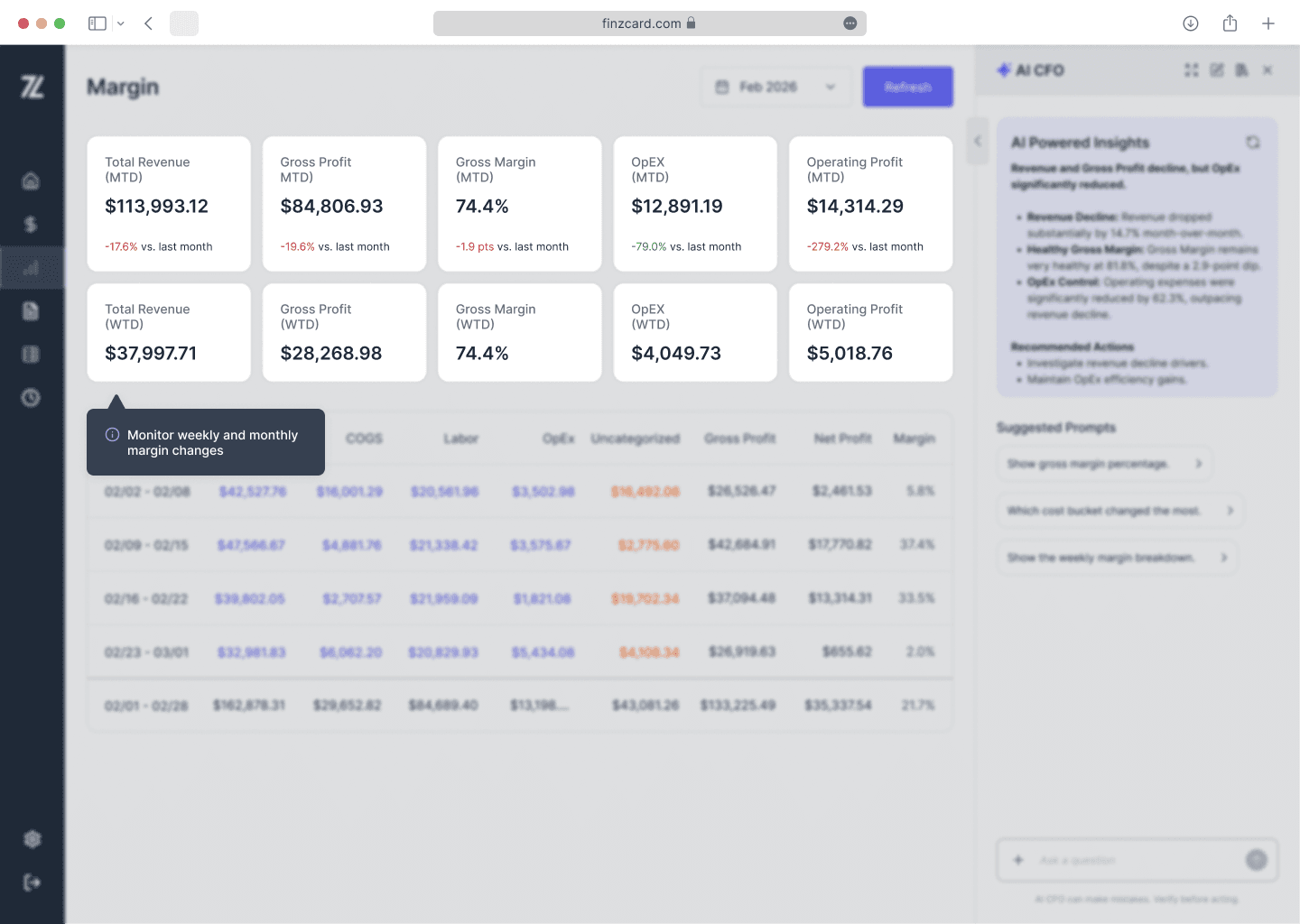
4. Monitor Margin Changes
The Margin tab helps operators identify:
rising labor costs
cost structure fluctuations
margin compression
profitability changes week over week
Instead of waiting for month-end reporting, operators can identify issues earlier while there is still time to react.
Related guides
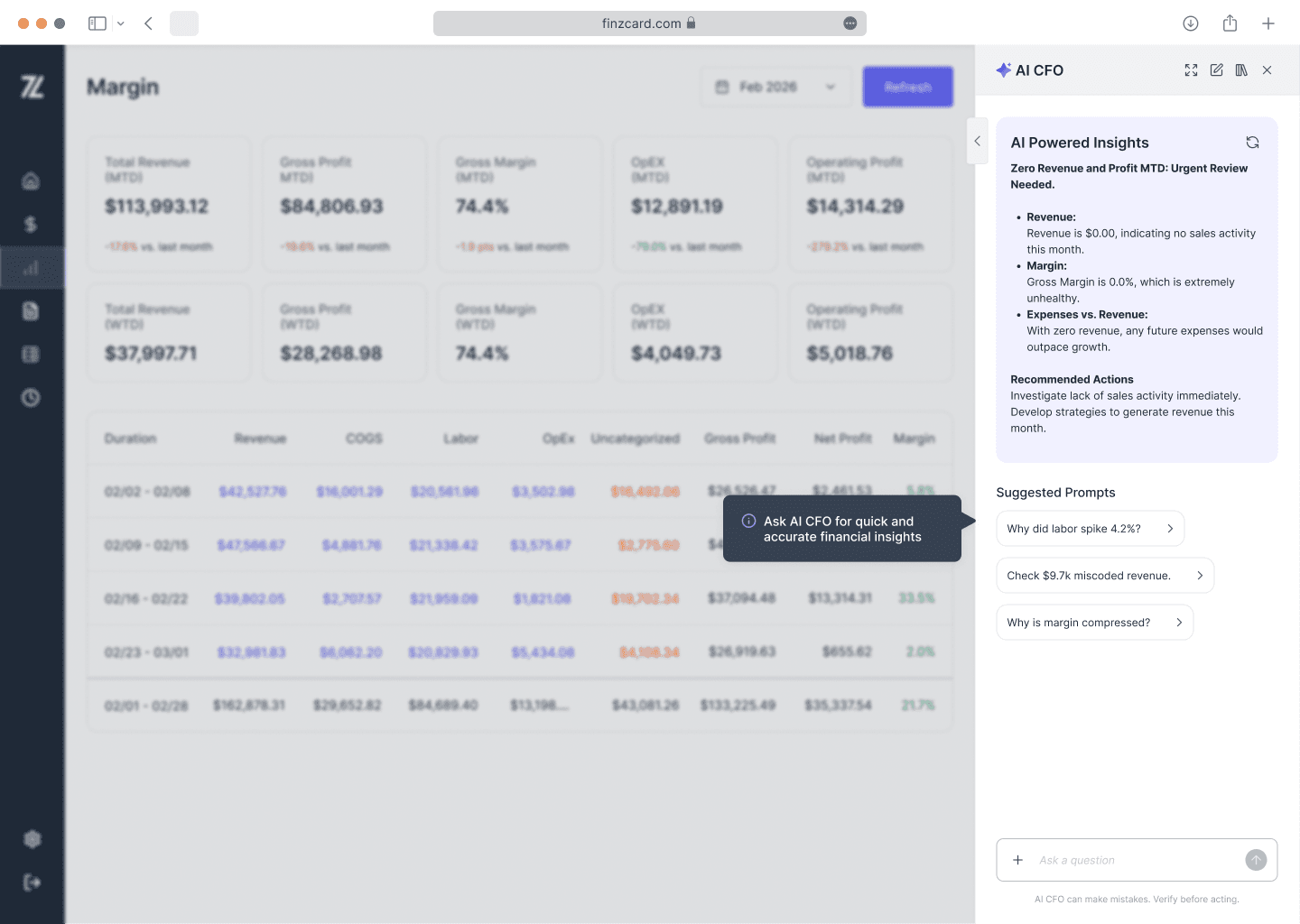
5. Use AI CFO for Faster Answers
AI CFO helps summarize activity across the platform using plain-language questions.
You can ask questions like:
“What changed this week?”
“Why is cash lower?”
“Which vendors increased spend?”
“What signals should I resolve first?”
“What should I pay attention to this week?”
AI CFO is designed to help operators understand the business faster.
Always verify important financial decisions before taking action.
Related guides
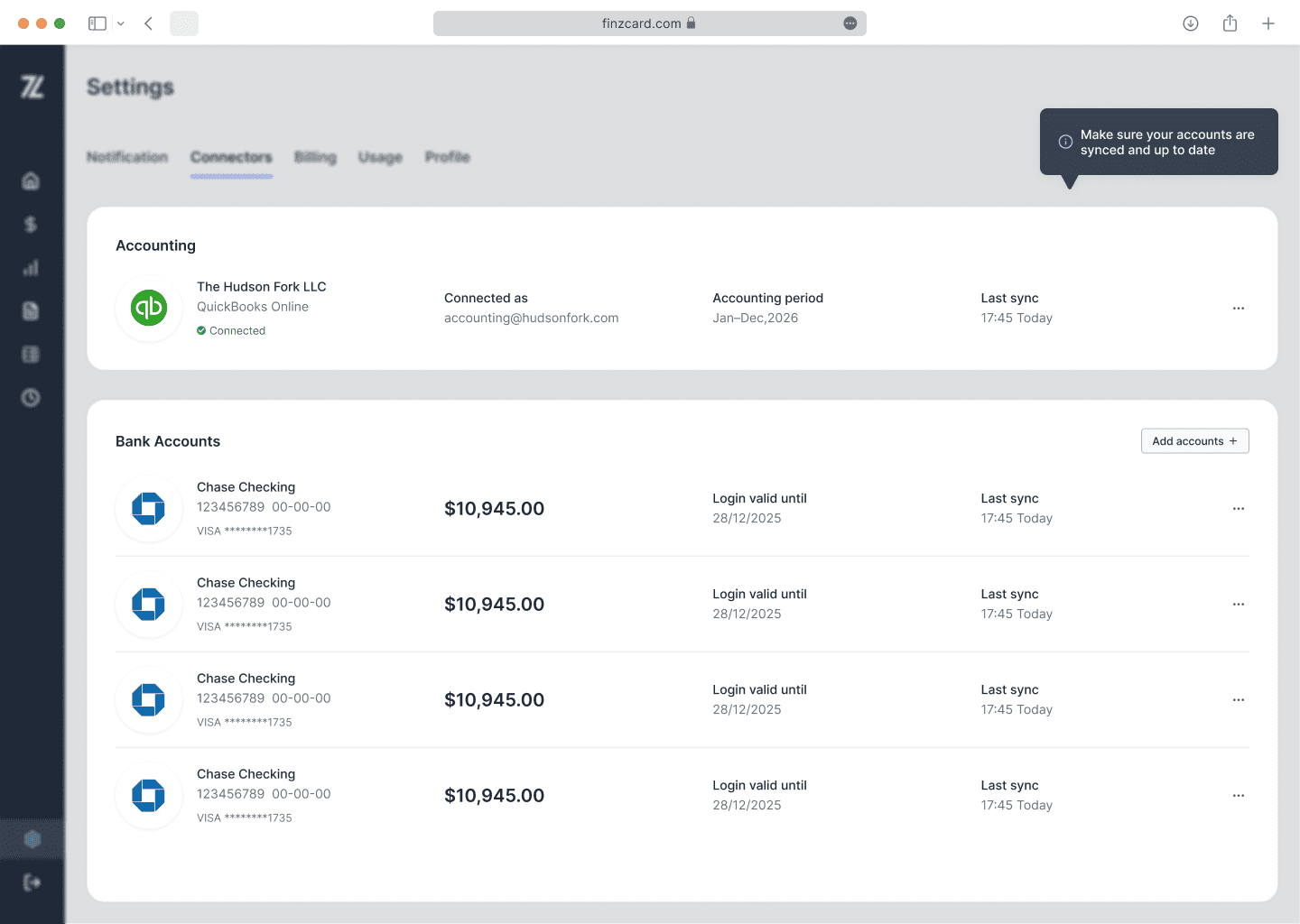
6. Keep Your Systems Connected
Finz works best when accounting and banking data stay synced.
Recommended connections:
QuickBooks
bank accounts
invoices/documents
Google Drive (if enabled)
These connections allow Finz to:
categorize activity
monitor trends
generate forecasts
surface signals automatically
Related guides
You Do Not Need to Use Every Feature
Many operators make the mistake of trying to learn the entire platform at once.
That is not necessary.
A good starting routine is:
Open Home
Review Signals
Check Cash
Ask AI CFO what changed
That alone can provide significantly more visibility than traditional month-end reporting.
The Goal of Finz
Finz is not designed to turn operators into accountants.
It is designed to help operators:
stay ahead of problems
understand financial movement faster
make decisions with more confidence
spend less time chasing reports
The platform works best when used consistently in small weekly check-ins rather than long monthly reviews.